


Showing posts with label iphone. Show all posts
Showing posts with label iphone. Show all posts
iPhone 4 Vs. Android
Which Is Faster For Browsing The Web?
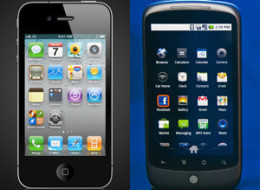
A new study finds that Android phones load webpages more than 50 percent faster than iPhones.Running a series of field tests between the iPhone 4 and the Google Nexus S, Blaze Software found that the iPhone's median load time is 3.2 seconds, while the Nexus S's median load time is 2.1 seconds. Over the course of 45,000 tests, the Android beat the iPhone 84 percent of the time.
The results actually contradict a study released a month ago that found browser speeds for both iPad and iPhone beat those of Android smartphones.
Still, when it comes to tablets, Android's speed advantage might be something for Apple to worry about. Researchers noted that while the devices "use the same OS and similar hardware phones do," "users expect the full experience on tablets, not the simplified mobile sites."
Most of the tests were run over a Wi-Fi connection, with some done on the phones' built in 3G. Wi-Fi was faster 82 percent of the time, but by a mere half a second. But these times owe something to the conditions of the testing. Researchers ran the study at night, in an area with good reception. Download speed at night is over five times faster than during the middle of the day.
The results surprised the authors. They explained:
So what is Google doing right?
Guy Podjarny, CTO of Blaze attributed Google's success to the software used to organize downloads, guessing that it might use more efficient methods in getting different parts of the page, according to Bloomberg.
Apple and Google also have different priorities when it comes to smartphone design, he said. While Apple focuses on design, Google has a team dedicated solely to making its sites run faster. Pojardny suggested that Google, as a later entrant to the smartphone battle, allowed them to design for better speeds from the outset.
"It's not that Apple doesn't care about speed, but Google is fanatical about it," Podjarny told Bloomberg.
How much does speed matter to you?
7:10 AM 0
Next Generation iPhone, iPad To Lose Home Button? (RUMOR)

Is the next generation of Apple's iPad and iPhone getting a major makeover that will do away with the one button on the face of the gadgets?
That's the gist of a new rumor from Boy Genius Report.
Citing an unnamed Apple source, the blog writes,
We have exclusively been told that the reason Apple just added multitouch gestures for the iPad in the latest iOS 4.3 beta is because the iPad will be losing the home button. Yes, we are told that Apple, at some point in time, will remove the home button from the iPad's design. Instead of button taps, you will use new multitouch gestures to navigate to the home screen and also to launch the app switcher. That's not all, however. In addition to the home button disappearing from the iPad, we're told that this change will make its way over to the iPhone as well. Our source said Apple employees are already testing iPads and iPhones with no home buttons on the Apple campus, and it's possible we will see this new change materialize with the next-generation iPad and iPhone devices set to launch this year.Most are doubtful such a change is really coming, however.
Daring Fireball's John Gruber writes: "The physical Home button is impossible to miss. That it is the one and only button on the faces of these devices is a big part of why normal people are able to pick them up, start playing with them, and figure out how to get around with no help. How in the world would a normal person figure out or guess that they need to do a "five-finger pinch" to get back to the home screen? [...] I don't think the iOS Home button is going anywhere."
9to5Mac argues, "There are too many reasons to need a home button for us to believe this. Maybe the home button moves to the bottom?"
MacStories concurs: "But I don't think the Home button is going away anytime soon; it is a fundamental aspect of an iOS device that can't simply be replaced by a gesture."
Do you think it's possible the iPad and iPhone will lose their home buttons? Weigh in below. To learn more about Apple's forthcoming iOS 4.3, see Apple Insider.
4:36 PM 0
A Verizon iPhone: The Bad News--And Why You Should Wait To Upgrade
But for several reasons, the iPhone's arrival to Verizon is poorly timed, and Verizon's gains won't be as clear-cut as one might think.
There's no doubt a Verizon iPhone will attract millions of buyers, and it will give the country's largest wireless carrier a chance to catch up with AT&T in attracting high-paying smart-phone customers.
Since the iPhone's debut in 2007, AT&T has been its exclusive distributor in the U.S. Many people held off on getting one because they already had service with a carrier they liked or were apprehensive about congestion on AT&T's network, particularly in New York and San Francisco.
On Tuesday, Verizon announced a deal with Apple to start selling iPhones on Feb. 10. Prices for the phones will be about the same as with AT&T.
The iPhone is big business for AT&T: The carrier activated 11.1 million iPhones in the first nine months of 2010. Analysts now estimate Verizon will sell 5 million to 13 million iPhones this year, some coming from what AT&T would have sold. Many believe Verizon could sell more iPhones in the U.S. than AT&T this year, given pent-up demand from customers not wanting to switch to AT&T.
Yet several factors may give prospective Verizon iPhone buyers pause.
The first Verizon iPhone will only work on the older, "3G" network. That network has wide coverage, excellent reliability and less congestion than AT&T's, but data speeds are much slower than new "4G" networks both AT&T and Verizon are building. You also can't talk and surf at the same time with Verizon 3G phones.
Also, Apple has been launching a new iPhone model every summer. Presumably, an iPhone 5 is coming this year. But Apple won't say whether Verizon would get it. Verizon may have to wait until next January, if it's on the same one-year upgrade cycle that AT&T has been on. That would give AT&T a head start.
Most importantly, cell phone companies do their best to tie subscribers up with contracts. AT&T executives last year stressed to investors that most of their iPhone users are on family and employer plans – more difficult for an individual to switch from.
"The consensus is that AT&T is reasonably well-prepared for Verizon's iPhone onslaught ... for now," said Sanford Bernstein analyst Craig Moffett.
For this reason, John Hodulik at UBS expects that 77 percent of his estimated 13 million Verizon iPhones this year will go to current Verizon subscribers, rather than new ones. That's a concern because Verizon has to subsidize the cost of each iPhone, hoping to make it up through service fees over time.
Verizon will essentially be paying heavily to upgrade its own subscribers. Hodulik figures that even with the iPhone's boost to service revenue, iPhone subsidies will reduce Verizon earnings this year by a net 15 cents per share, or about $425 million.
Still, analysts don't expect the Verizon iPhone to affect stock prices much, reasoning that investors have already factored in the news.
Verizon Wireless is a joint venture of Verizon Communications Inc. of New York and Vodafone Group PLC of Britain. Since mid-July, Verizon Communications' stock has gained 40 percent, while AT&T's has gained 20 percent.
Analyst vary widely in their estimates of how many AT&T iPhone users will jump ship: Christopher King of Stifel Nicolaus thinks as many as 6 million will flee to Verizon over two years, while James Ratcliffe at Barclay's expects just 1 million this year.
Hodulik says AT&T will actually benefit in the short term from paying fewer subsidies, saving about 10 cents per share, or about $590 million, this year.
The No. 3 and No. 4 carriers in the U.S., Sprint Nextel Corp. and T-Mobile USA, may have as much to lose from a Verizon iPhone than AT&T. They won't have iPhones of their own and will face the added competition from Verizon's model. Sprint recently started reversing a multi-year subscriber loss, but its recovery is still tentative, and T-Mobile's subscriber figures are stagnating.
Other potential losers are Google Inc. and Motorola Mobility Inc. To counter the iPhone's popularity, Verizon has worked closely with Google to promote its Android phone operating system. Motorola was one of the main beneficiaries, having bet on Android phones to turn around a multi-year slide in its sales. Verizon now accounts for about 45 percent of Motorola's smart phone sales, according to analyst Tim Long at BMO Capital Markets.
The Verizon iPhone "will be the first true test for Android," Kaufman analyst Shaw Wu said. It will demonstrate whether gains in its market share are real or just temporary, stemming from weak competition from other iPhone rivals such as the BlackBerry, he said.
The biggest winner will be Apple. With the benefit of hindsight, the tie-up with AT&T was a strategic mistake.
Cell phone makers often give U.S. carriers exclusive rights to sell a model, but usually only for six months or so. Apple signed a multi-year contract with AT&T, probably so AT&T would carry a phone that broke many industry rules. Apple had complete control over the software on the phone, and it was linked to Apple's music and video stores, not AT&T's. When the App Store came along a year later, that was completely controlled by Apple as well.
But AT&T exclusivity limited sales in the U.S., both because many people are tied to other carriers, and because AT&T's network buckled under the onslaught of data-hungry iPhone users.
Apple didn't sign multi-year exclusivity deals in other countries, and the U.S. is now one of few countries to have a single iPhone carrier. In just weeks, even that distinction will end.
2:23 AM 0
Verizon iPhone Announcement: How To Follow LIVE

Didn't get an invitation to the "Verizon iPhone event," as it has been dubbed? Can't make it to New York for the press conference?
You can still follow the action live and get all the latest news on the (rumored) iPhone release by following one of several live blogs.
Engadget, Technologizer, ZDNet, CNET, and SlashGear will be among the websites live blogging the announcement.
You can also follow the Twitter stream below for the latest breaking tweets on the event.
Verizon's press conference is scheduled to begin at 11AM ET. So far, a live video stream of the event does not appear to be available, but we'll update the post if we learn of one.
Get the latest news and updates on the Verizon iPhone rumors here.
2:29 AM 0
Check Out This iPhone 4 Knockoff Making Headlines In Hong Kong

The SoPhone is such a good knockoff of the iPhone 4, it’s making headlines and TV news reports in Hong Kong. Check out this entertaining news segment where the reporter takes the fake to the streets to see if anyone can tell the difference (subtitled):
9:29 AM 0
iPhone Wars Heat Up Ahead Of Rumored Verizon iPhone Release: AT&T Slams Verizon's Network
After reports surfaced about Verizon's plans to offer unlimited data plans to new iPhone customers (something AT&T did away with last year), AT&T PR boss Larry Solomon contacted Business Insider with the following critique of the Verizon network: "The iPhone is built for speed, but that's not what you get with a CDMA phone. I'm not sure iPhone users are ready for life in the slow lane."
Business Insider accepts Solomon's attack on Verizon as a confirmation of a Verizon-Apple partnership.
AT&T's $30-per-month data plans, which allowed users to consume as much Internet content as they pleased, became a strain on the network last summer, AP reports. Speculation suggests that Verizon will offer similarly priced unlimited data plans for iPhone customers.
While AT&T's Larry Solomon feels that Verizon's network will be overwhelmed by iPhone data hogs, the Wall Street Journal writes that "Verizon executives point to their network's success handling already heavy laptop traffic and a growing number of data-guzzling Android-based smartphone users on its main, 3G network."
In addition, Verizon's new 4G LTE network will be a great asset, Verizon CTO Anthony J. Melone told the Wall Street Journal. "We added enormous capacity to the network in one fell swoop," Mr. Melone said. "It is there waiting for us to grow into it. That will help me tremendously with my 3G network."
Some such as Robert Scoble are of the mindset that AT&T has offered "horrible service over the past three years" and that customers should jump at the opportunity to switch carriers.
While AT&T should be worried about a Verizon iPhone, it's still the number-two network in the United States. "The network has been preparing itself for the loss of its iPhone exclusivity contract for a long time," writes Mashable. "It's ready to do battle with Verizon."
The iPhone wars may just be beginning.
9:00 AM 0
Verizon iPhone Announcement Coming January 11: Wall Street Journal
The Wall Street Journal reports that Verizon has landed the iPhone and will make the announcement at an event on Tuesday:
 On Friday, John Paczkowski of All Things D leaked an invitation to attend a Verizon Wireless announcement event on Tuesday, January 11 at the Lincoln Center in New York.
Paczkowski writes that "sources close to the company" say that this January 11 event will be the day that a Verizon iPhone is announced.
Currently, the Consumer Electronics Show (CES), the world's largest annual tech show, is taking place in Las Vegas. Apple is not in attendance. Verizon, on the other hand, has unveiled several new products this week at CES but has made narry a peep about a possible partnership with Apple.
However, Paczkowski notes that if a Verizon iPhone is announced on January 11, it will most likely not be an announcement for a next-generation iPhone. "If it were more (e.g., a hardware announcement)," writes Paczkowski, "you can bet the event would be in Cupertino or San Francisco." What is more likely is that Verizon will begin carrying last's year's iPhone 4 model.
Whatever the announcement, you can bet we'll be tuning in on January 11 at 11 a.m. Eastern, when Verizon president and COO Lowell McAdam takes the stage.
Check out the invitation (below), and read more about Verizon iPhone rumors here and here.
LOOK:

The move will for the first time let U.S. consumers choose the network that carries their iPhone and perhaps give them additional pricing options that could affect their monthly bills. It will also upend the balance of power in the industry, ending Verizon rival AT&T Inc.'s exclusive hold on the device and leaving smaller players like Sprint Nextel Corp. and T-Mobile USA facing two well-capitalized competitors offering the world's most popular smartphone.--
Paczkowski writes that "sources close to the company" say that this January 11 event will be the day that a Verizon iPhone is announced.
Currently, the Consumer Electronics Show (CES), the world's largest annual tech show, is taking place in Las Vegas. Apple is not in attendance. Verizon, on the other hand, has unveiled several new products this week at CES but has made narry a peep about a possible partnership with Apple.
However, Paczkowski notes that if a Verizon iPhone is announced on January 11, it will most likely not be an announcement for a next-generation iPhone. "If it were more (e.g., a hardware announcement)," writes Paczkowski, "you can bet the event would be in Cupertino or San Francisco." What is more likely is that Verizon will begin carrying last's year's iPhone 4 model.
Whatever the announcement, you can bet we'll be tuning in on January 11 at 11 a.m. Eastern, when Verizon president and COO Lowell McAdam takes the stage.
Check out the invitation (below), and read more about Verizon iPhone rumors here and here.
LOOK:
8:52 AM 0
Check Out Incipio’s Cool App For Making Custom iPhone Cases [CES 2011]

LAS VEGAS, CES 2011 — Incipio had a hit on its hands here at CES with a free iOS app that allows you to make your own custom case.
Using Incipio’s Bespoke Case Customizer app, you can upload your own photo and have it printed out on a custom case — right from your iPhone or iPod touch. Normally the service costs $30, but Incipio was printing out free cases at its booth instantly. Here’s some video of the app in action.
12:53 AM 0
iChair Case For iPhone 4 Comes With *Rear* Screen Protector

iChair CEO Vindi Sedey with his new iPhone 4 case, which features screen protectors for both the front and rear screens.
LAS VEGAS, CES 2011 – The new iChair case for the iPhone 4 comes with a screen protector for both the front and rear screens.
The case includes two transparent screen protectors, front and rear, even though the case itself protects the rear screen. The idea, of course, is to protect the iPhone’s glass back from the case itself.
“Our customers were asking for it because of the Glassgate issue,” explained CEO Vindi Sedey. “We had to have it.”
Glassgate is the debatable issue of trapped dirt scratching or shattering the iPhone 4′s back when used with slide-on cases. The issue doesn’t seem to be real, but Apple is wary of it and has suspended sales of slide-on cases in its stores.
iChair is a new company based out of Dallas, launching its line of iPhone and iPad cases at CES. The iChair features an integrated stand built into the case that functions in both portrait and landscape mode. The cases are slim and well-made — and go the extra mile in protection.
12:45 AM 0
iPhone Alarm Glitch: How It Cost Me My Job
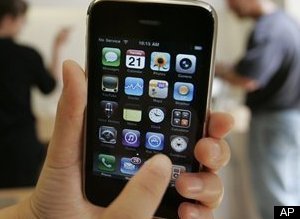
While you may think that a faulty iPhone or a simple glitch that eventually resolves itself has little effect on the general iPhone owning population, I'm here to tell you differently.
I work as a server at a popular new restaurant in Somerville, MA; or, at least, I did. Having two Bachelors' of Arts and experience in a variety of professions, you may think I am overqualified for a job as a server. You'd be right. But alas, I have not been able to find employment within my fields of expertise, so I fall back on my experience within the service industry as a means to pay my bills while searching for better, more gainful employment.
I had to work New Year's Eve from 3:30 p.m. to 4 a.m. Upon arriving home, I got myself ready for bed and set my iPhone alarm for 10 a.m.
This would have given me ample time to wake up and ready myself for my 12 p.m. double shift on New Year's Day. In an industry where one is expected to keep late hours, but also show up on time to ensure professional and fine quality service to patrons, my alarm clock is essential. When I don't get to bed until 5 a.m. because of a late night of work, I am prepared for the fact that I will only get 4 or 5 hours of sleep; yet, my body will not naturally wake up on that amount of sleep. An alarm clock is the only way to ensure that I am up on time to go serve brunch to people much like you, your friends, and your family.
While such a job may seem insignificant to some, it is the only thing keeping me paying $100/mo for my iPhone service. Upon my termination, I was told that I was wonderful, but that my tardiness was unfair to the other employees. So, Mr. Jobs, I'd like to let you know that you have officially, directly contributed to unemployment in 2011. If you had warned me about the glitch, I could have at least picked up a $5, battery-operated alarm clock that would have saved my job.
Now I'm unemployed in a time when jobs are not easily had, and I am short on my rent. So, Happy New Year to you, Mr. Jobs. I hope you remember to shoot me an email next time there is any chance of a glitch. (Just a note, my iPhone bill payment will probably be late this month.)
Best,
Lindsay Garvey
2:26 AM 0
New Clues Point to Upcoming Verizon iPhone 4 Launch

Remond Pie and Pocketnow offer new details on imminent iPhone 4 [Verizon] launch
The rumors of the iPhone coming to Verizon's vast network are about as old as the iPhone itself. Now it appears that the long wait is close to being over. BusinessWeek reported last week that the Verizon iPhone would be here before Valentines Day.
Piling on that report, PocketNow and Redmond Pie have uncovered some new information that shows that Verizon and its partners are gearing up for the iPhone 4. Verizon Trademark Services LLC has already bought both iphoneonverizon.com and iphoneforverizon.com.
According to PocketNow, both sites were owned by Jim Benton and are currently being used as link farms.
In addition, Redmond Pie points out that Case-Mate has jumped the gun a bit by putting a landing page on its website dedicated to iPhone 4 accessories. Although we're curious as to why a Verizon iPhone would need its own specially designed case/marketing, the pages that referenced the items have already been taken down (perhaps either Verizon or Apple wasn't too happy about its existence).
Even though the page is not currently available, Google cache still has all the goods including this message from Case-Mate:
The Wait is over: iPhone 4 for Verizon is Coming
The waiting game is finally over. After three long years and countless numbers of rumors, the iPhone 4 will soon be available on the Verizon network. The subscribers of the United States’ largest carrier can all breathe a sigh of relief. And start making plans to camp out at their local Apple store.
1:10 AM 0
Skype’s New App Brings Video Chat To The iPhone, iPad And iPod Touch

The beauty of the app is that it brings free video calling to iPhone 3G devices, iPad and iPod Touch, all of which couldn’t run Apple’s video calling feature Facetime (the feature only works with iPhone 4 devices and Mac computers). Of course, iPad owners won’t be able to initiate a video call, but these users can receive any video chats from contacts.
Skype also says that the app allows users to video chat over both 3G and WiFi networks, allowing users to access the feature across a variety of connections. Skype’s iPhone app, which was one of the top five free iPhone apps in 2010, allows users to simply turn on the video feature to activate video chat. iPhone 4 users have the ability to use either the front facing camera or the back camera.
The new version of the iPhone app is compatible with the iPhone 4, iPhone 3GS, and 4th generation iPod touch with i0S 4.0 or above. Users can receive video chat on the 3rd generation iPod touch and iPad. Calls can also be made between devices using the new Skype for iPhone app and desktops including Skype for Windows, Skype for Mac, Skype for Linux and ASUS Videophone.

Osterloh adds that we can expect more mobile offerings in the near future, which seems to imply that video calling could be coming to its Android app as well. And while this new app does seem to compete with Apple’s Facetime, Osterloh is quick to add that Apple has been a “great partner” in the development of the new build of iPhone app (probably because Apple actually approved the app).
This has been a tumultuous few weeks for Skype, which suffered a massive outage last week affecting tens of millions os users. Today, the company’s CIO Lars Rabbe revealed the causes behind the outage, which included a bug in the Skype for Windows client. And earlier this week, the company was hit with a patent infringement suit. Skype says that the release of the app was purposely made just prior to New Year’s, which is historically Skype’s biggest video calling day of the year (measured in calling minutes).
2011 should be a big year for Skype, as the company prepares for an IPO in the next year. With this event looming ahead, Skype has been working to expand usage of its service through enterprise offerings and new product development (i.e. Facebook integration). And we know Skype is going to make a big push to the cloud in 2011, possibly launching a web-based service early in the year.
Besides for general consumer use, video calling could come in useful for Skype’s enterprise clients.
The new feature definitely makes the technology a more compelling solution for conferencing purposes.
And Osterloh made it pretty clear that mobile will also be a part of the company’s strategy to expand its userbase (Skype has an average 25 million consumers using the service at any given time). It should be interesting to see what Skype has up its sleeve in the New Year.
1:26 AM 0
Apple iPhone 4 Features: 15 Things You NEED To Know About The New iPhone
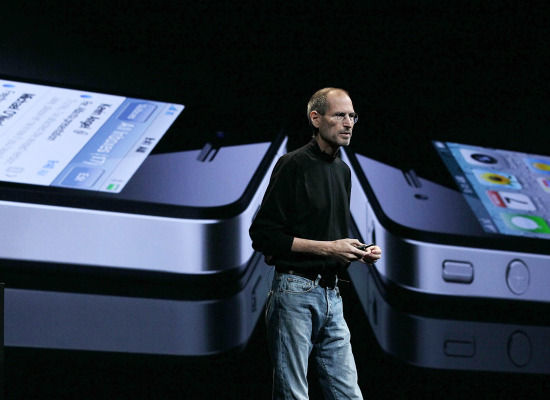
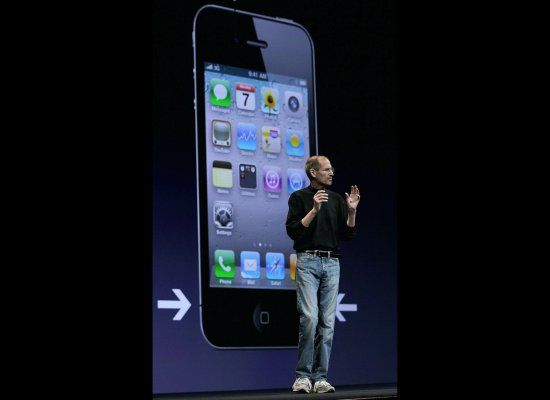
As many expected, Steve Jobs unveiled Apple's new iPhone 4 during his keynote address at the Worldwide Developers Conference in San Francisco.
Jobs was full of praise for the iPhone 4--Apple's "new baby"--calling the new iPhone an "extraordinary" product that is "going to change everything, all over again."
Apple hype aside, what does the new iPhone really offer? We've put together a guide to the iPhone 4's features and everything you need to know about Apple's new device.
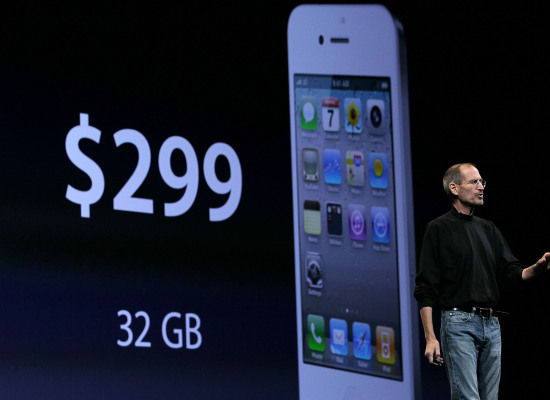
The iPhone 4 will go on sale in the US for $199 (16GB version) or $299 (32GB model). The iPhone 3GS will see its pricetag lowered to $99.
AT&T is going to make a "an incredibly generous upgrade offer," Jobs explained. If your contract ends any time during 2010, you can get new iPhone 4 if you re-sign a new contract. The iPhone 4 will still be tethered to AT&T.
AT&T is going to make a "an incredibly generous upgrade offer," Jobs explained. If your contract ends any time during 2010, you can get new iPhone 4 if you re-sign a new contract. The iPhone 4 will still be tethered to AT&T.
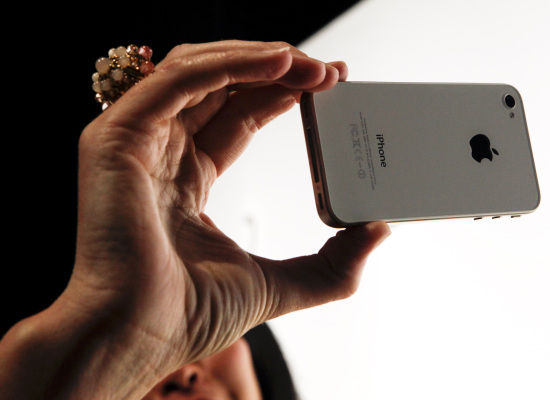
Steve Jobs highlighted the iPhone 4's "green" credentials during his demo. The new iPhone is arsenic, BFR, mercury, and PVC free, and also claims to be "highly recyclable."
The iBooks app is coming to iPhone 4. The new and improved app will sync your iBooks between all your Apple devices. "You only have to buy it once," said Jobs. "And, iBooks will automatically and wirelessly — and for no charge — sync your place, notes, and bookmarks across all your devices." On both the iPad and iPhone, users can take notes in the margins of the e-books, as well as highlight text. The New York Times speculates that these improvements "should help Apple continue to edge out rival e-readers."
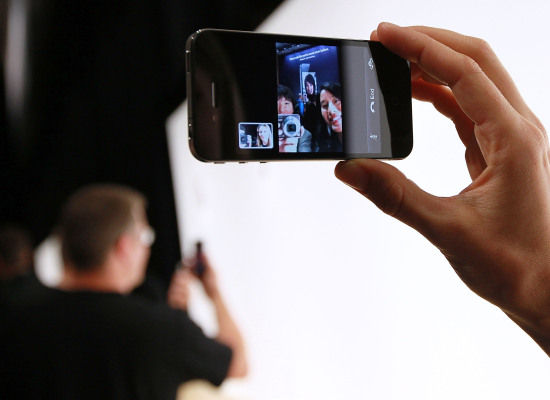
The iPhone 4 will also record HD video in 720p at 30fps and will feature tap to focus video, built-in video editing and one-click sharing. While recording video, the LED flash will stay on to illuminate scenes. Jobs stunned the WWDC audience when he announced support for the iMovie application, allowing users to record, edit and render mobile HD video and upload the finished product to the Web via e-mail, MMS, MobileMe or YouTube. The New York Times predicts that these new features "will be a huge help for citizen journalists, DIY documentarians and reporters in the field." Although, another Times reporter notes, uploading movies to the web "will quickly eat up one’s data quota under AT&T’s new plans."
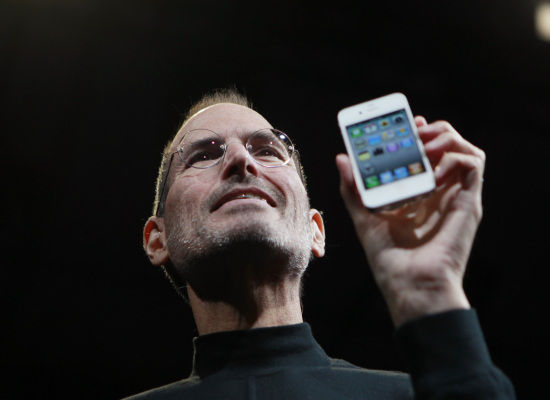
The iPhone 4 will be powered by the A4 chip found in the iPad. "This was designed by our own team. This is wonderful to have in the iPhone," Jobs said (via Engadget).
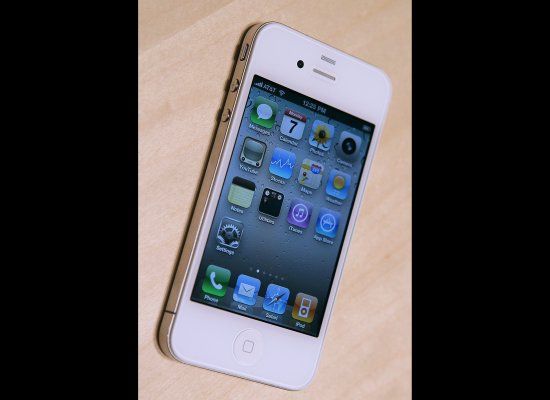
Thanks to the iPhone 4's bigger battery and its A4 chip, the phone will last longer. Apple promises 7 hours of 3G talk time, 6 hours of browsing on 3G (or 10 hours of browsing on WiFi), 10 hours of video, 40 hours of music, and 300 hours of standby.
2:22 AM 0
XWave Brings Mind-Control To The iPhone (VIDEO)

The latest in the field of emerging mind-controlled games and devices, XWave takes things a step further with iPhone integration. While this iteration of the device is purely entertaining, the implications for the future are great.
The headset, which attaches to the iPhone through the headphone jack, allows users to control graphical images displayed by its free iPhone app. According to the device's developer, PLX, the device is also open to use with 3rd party applications.
While far from perfect, Mashable reports that in their time with the device the results were relatively accurate, and the visual changes on screen did coincide while testers' mental states.
Though the device is little more than an expensive "parlor trick" at the moment, according to Mashable, the prospect of thought-controlled phone use may have some serious implications, namely a unique solution for hands-free phone use while driving.
Watch :
12:43 AM 0
The Top 40 iPhone Apps of 2010

A healthy majority of iOS app users discover new applications directly from their device as opposed to using iTunes. If you look specifically at the iPhone, the amount of real estate for discovery is only available to a very small percentage of the total apps.
There are currently 20 overall categories, with Games offering an additional 20 subcategories. Each subcategory is broken into three lists and displays a max of 100 apps on the iPhone. Throw in a small number from the Top 25 and Featured lists and you wind up with roughly 12,000 apps being shown at one time. This works out to only about 4% of all apps that receive visibility. One can browse beyond this number on iTunes, but that quickly becomes an overwhelming, laborious task.
The expectation is that the market will dictate an app’s worth, but it doesn’t always work out that way. If you look at the top lists, they are littered with clones, cheap knockoffs and impulse grabs. Ninety-nine cent buys are just too tempting. Without proper exposure (and potentially more appropriate pricing schemes), many truly great apps never see the light of day.
With that said, I’ve compiled what I believe to be the best apps that have come out this year. Some got well-deserved exposure, while others were lost in the shuffle. The difficult part of assembling a “best of” list is striking a balance between apps with mainstream appeal and those with real innovation. There are a number of factors that took place in the selection (such as the merits of an app itself, not just the usefulness of an established service it utilizes) and not every good app could make the cut.
I present the top apps of 2010:
Top iPhone apps:
1. Instagram: Take a photo or select one from your library, apply a visual effect to it and then post it to Facebook, Twitter, Flickr, Tumblr, or Foursquare. While there are plenty of photo filter applications out there, Instagram stands apart because of how easy it is to get a unique and professional result. Indie styling without the need for a vintage camera or Photoshop skills.
2. Chase Mobile: While I don’t use Chase for banking, this app deserves some serious recognition. For an industry that isn’t known for pushing the technology envelope, Chase did something pretty cool here. Instead of going to a banking center or ATM, you can simply take a picture of the front and back of a check and the amount is deposited into your account. Beats driving to a bank.
3. Price Check by Amazon: Sure, there are several barscanning apps out there. Some work better than others, but Price Check is just about flawless. Considering I buy nearly everything from Amazon (from vitamins to electronics), I may be a bit biased. But regardless, this app offers an easy, effective way to check the price of physical goods in a store to see if you can get it cheaper online.
4. Find My iPhone: This was a great move by Apple to release the Find My iPhone feature without requiring a paid MobileMe account. With this, you can see where your phone is on a map, display a message, lock the phone or completely wipe it.
5. Google Voice: Long awaited, Google Voice has been in approval limbo for ages. I thought it would never see the light of day (due possibly to objections from AT&T) but to most people’s surprise, it was approved. With Google Voice, you can replace your calling plan with a unique number that includes dialing, texting, voicemail, and message transcription.
6. Twitter: After acquiring Tweetie, Twitter relaunched this as the official Twitter app for the iPhone. It remains the standard bearer. How many times a day do you pull down to refresh?
7. Dropbox: I’m a big proponent of the digital nomad lifestyle, so I always stay backed up on the cloud. I want to be able to access, view, retrieve and share any of my files whether I have my computer with me or not, and the Dropbox app helps me do that. It does require a Dropbox account, but its free for up to 2gb of storage.
8. SpringPad: While the Evernote app is great (I use it to catalog most of my notes and ideas), SpringPad really steps up mobile notetaking. You can write a quick memo, take a snapshot, scan a barcode of an item to remember, or have the app search nearby shops and restaurants to add. There are a lot more options than Evernote and it seems a bit speedier to quickly unload a thought.
9. Foursquare: Okay, this one didn’t come out this year, but any Best iPhone Apps list would be incomplete without it. Checking in, which seemed so quirky a year ago, is now an obsession with millions of people, and they can thank Foursquare. Tell people where you are, get mayorships, badges, and maybe some other rewards. The latest update just added comments and photo checkin capabilities. (Gowalla is still looking good too).
10. Skyfire Web Browser: I haven’t met anyone yet who doesn’t hate the fact that the iPhone lacks Flash support. While Skyfire is by no means a perfect solution, it offers us a way to watch Flash videos from the web on our iPhone. Unfortunately, it does not support Flash games and not all sites with Flash video are supported.
11. Kindle: I’m one of those people who prefers reading off an e-ink Kindle to an LCD iPad. For the millions like me, the Kindle app makes a perfect companion. However, while I don’t take my Kindle everywhere, I always have my phone. Just boot up the app and you can continue reading from where you last left off.
12. Word Lens: Word Lens is one of the few apps that really shows the potential of the iPhone. Aim your phone at anything with standard printed writing on it in another language (a sign, newspaper, etc.) and Word Lens will replace it with translated copy. The amazing thing is that it will do it in realtime. Currently it only supports English to Spanish translations (and visa versa), but greater language support is on the way. It has a few quirks, but the speed and accuracy is very impressive.
13. Groupon: This is a solid companion app to the daily-deal service Groupon, which offers up a deeply discounted product or service for a limited time. The app makes the process easier to manage without the need of the website. There are a few ancillary features like Discussion, but the real reason to keep it around is to easily check out the daily deals.
14. Hashable: If you are a heavy networker or just like introducing people, Hashable is the app for you. It lets you introduce people via Twitter or email and annotate all your meetings with hashtags like #lunch or #justmet so that you can go back later and search through them. You also get “Hashcred” every time you use the app, which pushes you up the leaderboard. This is a business app, but it feels fun.
Top Entertainment Apps:
15. Netflix: I’m a huge fan of Netflix streaming and this app is a great way to watch streamed content right on your iPhone. I was expecting movie streaming to be slow over 3G but was surprised to see that after a short loading period, it was extremely smooth. Quality settings are reduced depending on the connection, but all in all, it works great.
16. Hulu: I was on the fence about the Hulu app since Netflix covers so many of my media needs. This app requires you to subscribe to the Hulu Plus service, which is the same price as a Netflix streaming account. However, Hulu contains a lot of great TV content that will fill in many of the holes left by Netflix. The app itself feels solid and the streaming quality seems to be on par with Netflix in terms of looks and speed.
17. TuneIn Radio: The problem with Internet radio has been that despite being awesome, it hasn’t allowed access to local radio. TuneIn Radio lets you listen in on thousands of real radio stations across the country. With a bunch of features like the ability to pause and rewind live radio, it makes a great addition next to Pandora and Slacker.
18. Rhapsody: Rhapsody is an all-you-can-eat music listening service. For the longest time, iPhone/iPod Rhapsody users have been left out in the cold if they wanted to take their songs with them. But now, with the Rhapsody app, you can listen to as much music from the service as you like without needing an active Internet connection.
19. TextPics: Emoji are fun to add to text messages to other iPhone users—the problem is that your iPhone-less friends can’t see them. TextPics tries to solve this issue by giving you a bunch of ASCII “drawings” that you can text or include in emails. The best part is they are made up of standard text characters, so anyone can receive them on any device.
Top iPhone games:
20. Angry Birds: It’s not easy to ignore Angry Birds—you’ll usually find it hanging out at that #1 top spot. It’s one of the first phenomenons to come out of the iPhone world, spawning seasonal versions, toys and even a movie deal. I doubt it even needs a description, so if for some reason you’re just now crawling out from under a rock, go and download Angry Birds.
21. Plants vs Zombies: I came from the casual games industry so I’ve been a fan of PopCap for a long time. PvZ is a streamlined, linear tower defense game. Your goal is to defend your home from a swarm of zombies using a variety of different plants from common pea shooters to exploding landmine plants. With a simple, fast paced method for earning money to upgrade your defenses, this game is an entertaining blend of action, strategy and zombies.
22. Trade Nations: This is one of my favorite freemium games on the iPhone. In some ways, it plays like a cooperative real-time strategy game. You place houses to create workers, develop timber yards to bring in lumber, harvest wheat for food, etc. It’s a rewarding experience best played in short, productive bursts. Every action takes time, so it’s always interesting to check in and do a little management during a break.
23. Gun Bros: Most duel-stick survival shooters on the iPhone are simple, shallow experiences. Gun Bros. takes the genre to the next level by offering a freemium upgrade system, a unique visual style and a robust leveling mechanic. If you’re a fan of fast paced top-down shooters, this is the one to grab.
24. Grand Theft Auto: Chinatown Wars: I’m generally not a fan of ports but this time it was done right. GTA: CW is a faithful translation of its Nintendo DS counterpart. The game is presented in a 3D overhead perspective, combining elements from the original GTA and GTA 4. Despite having an appearance similar to the former, it actually plays more like the latter and those familiar with Liberty City will find themselves right at home here.
25. N.O.V.A 2: If you’ve ever wanted to play Halo on the iPhone, this is the closest you’ll get for now. Like the original, you battle your way through a lush Sci-Fi environment while utilizing a huge arsenal of futuristic weaponry and powers, like the ability to slow down time. With improved graphics, more expansive environments, unique game components like piloting vehicles, and an array of visual effects, N.O.V.A 2 is sure to provide fans of the original, as well as newcomers, with an engrossing experience.
26. Puzzle Agent: This is why I like doing these lists. Games like Puzzle Agent deserve recognition for stepping outside the box and delivering an engrossing experience. You play as an FBI agent from the Puzzle Investigation Division in a game that combines elements of classic adventure games with thought-provoking puzzles. Together with quirky artwork and good voice acting, this is one to try out.
27. Rhythm Spirit: Rhythm Spirit is the sleeper hit of the year. It was loved by critics, but flew under the radar for many iPhone gamers. The game is a rhythm-based fighting game featuring a rich storyline based on Japanese folklore. Imaginative characters, unique gameplay and a genuinely awesome techno-zen soundtrack make Rhythm Spirit a must have for both fighting and rhythm game fans.
28. Ragdoll Blaster 2: Trajectory games have been all the rage for the iPhone. And while the genre has seen plenty of below average apps, Ragdoll Blaster 2 stands out from the crowd. With whimsical, steampunk-inspired graphics and tons of variety in level design and background art, RB2 is a deep and rewarding puzzler.
29. Spiderman: Total Mayhem: The world of Spiderman makes for one of the best gaming environments, despite the mixed results of many past attempts. Total Mayhem for the iPhone succeeds in offering up a very attractive, highly playable web-slinging experience. This solid beat-em-up gives you all of Spidey’s skills as you swing through cityscapes, web-up bad guys, and engage in some good ol’ fashion fisticuffs. Total Mayhem is visually fantastic and features truly excellent fighting mechanics.
30. Mirror’s Edge: I’ve been fascinated with parkour ever since the movie Yamakazis came out. I even signed up to train in it with more or less unfortunate results. So for now, Mirror’s Edge is the closest I’ll get to spending my weekends leaping from rooftops. I was a big fan of the game on consoles, so I initially approached this iPhone adaptation warily. However, I quickly discovered that this version is surprisingly competent with intuitive controls and an effective, device-friendly side-scrolling perspective. Smooth, flowing animation and beautifully sharp 3D graphics evocative of the original console version contributes to the uniquely satisfying, running and jumping experience.
31. Cut the Rope: I didn’t want to like this game. It shot up to the #1 position on the App Store after only a day. I thought there surely had to be some foul play at work. But the truth is, regardless of whether or not “creative” marketing methods were used, the game is pretty damn fun. The objective is to get a piece of candy, dangling from a rope, into a cute monster’s mouth. It’s not as easy as it sounds. Plenty of obstacles get in your way and before long, you’ll find yourself absolutely addicted to helping the little guy get his sugary fix.
32. Fruit Ninja: Some games are just fun for their sheer mindless simplicity – Fruit Ninja is one of those games. As 3D fruits hop into view, you run your finger across the screen to cut them in half—simple as that. Slice up the endless onslaught of fruit while avoiding the game-ending bombs. Each session begins at a slow, steady pace with the action gradually becoming more intense and frantic as you progress.
33. Osmos: There is a certain zen-like satisfaction you get from playing Osmos. You control an amoeba-like blob that must consume smaller entities to grow, and then expel them to move. You’ve got to be alert to maintain this careful balancing act, but the meditative lull of Osmos’ ambiance creates a uniquely relaxing, trancey experience.
34. Smurfs’ Village: When it comes to freemium management games currently available on the App Store, the experience is too often shallow and predictable. This isn’t the case with Smurf’s Village. While the objective is still to build and develop your village, the game is jam packed with tasks, mini-games and even a loose narrative. Smurf’s Village features great music and excellent, hi-res graphics that are sure to instill a warm sense of nostalgia to anyone who spent the 80′s watching Saturday morning cartoons.
Top Technical Achievement games:
35. Modern Combat 2: Black Pegasus: It’s no simple task to bring a console-quality first-person shooter to a device the size of your hand. It’s a careful balance of processing, assets, and usability. Fortunately, Modern Combat does a highly commendable job of pulling it off. High-res graphics, impressive visual effects, and detailed environments give Modern Combat 2 more than enough reason to be considered a technical achievement this year.
36. Star Wars Arcade: Falcon Gunner: You are going to want to play this gam ein a swivel chair. The 360-degree graphics take advantage of the iPhone’s gyroscope to let you swivel around and shoot TIE Fighters from the Millenium Falcon’s gun turret. The gameplay is pretty basic, but the 360-effect and 3D graphics put you in the action like no other game. You can also play in augmented reality mode which switches the background to your camera view, making it look like the TIE Fighters are in your room or flying through the air.
37. Samurai 2: Vengeance: I love games that really push style and character, and Samurai 2: Vengeance does just that. Visually, the game looks like it could be a younger sibling of Capcom’s console gem, Okami. The art is like a combination of Japanese brush painting and anime, giving Vengeance an amazingly rich and distinct style. Thick outlines, flat colors and exaggerated motion create a unique manga look that boldly stands out in the App Store.
38. Real Racing 2: The first Real Racing took the App Store by storm when it was released last year. It was one of the few apps that showed what the iPhone was really capable of. Real Racing 2 doesn’t disappoint in keeping that tradition alive. RR2 is the best looking racing game available for the iPhone. From the detailed tracks and environments, to the actual licensed cars themselves, this will be sure to impress even the most cynical of driving sim enthusiasts. While Real Racing 2 has packed in even more play modes, multiplayer options and cars, it still uses the near flawless control scheme options of its predecessor.
27. Rhythm Spirit: Rhythm Spirit is the sleeper hit of the year. It was loved by critics, but flew under the radar for many iPhone gamers. The game is a rhythm-based fighting game featuring a rich storyline based on Japanese folklore. Imaginative characters, unique gameplay and a genuinely awesome techno-zen soundtrack make Rhythm Spirit a must have for both fighting and rhythm game fans.
28. Ragdoll Blaster 2: Trajectory games have been all the rage for the iPhone. And while the genre has seen plenty of below average apps, Ragdoll Blaster 2 stands out from the crowd. With whimsical, steampunk-inspired graphics and tons of variety in level design and background art, RB2 is a deep and rewarding puzzler.
29. Spiderman: Total Mayhem: The world of Spiderman makes for one of the best gaming environments, despite the mixed results of many past attempts. Total Mayhem for the iPhone succeeds in offering up a very attractive, highly playable web-slinging experience. This solid beat-em-up gives you all of Spidey’s skills as you swing through cityscapes, web-up bad guys, and engage in some good ol’ fashion fisticuffs. Total Mayhem is visually fantastic and features truly excellent fighting mechanics.
30. Mirror’s Edge: I’ve been fascinated with parkour ever since the movie Yamakazis came out. I even signed up to train in it with more or less unfortunate results. So for now, Mirror’s Edge is the closest I’ll get to spending my weekends leaping from rooftops. I was a big fan of the game on consoles, so I initially approached this iPhone adaptation warily. However, I quickly discovered that this version is surprisingly competent with intuitive controls and an effective, device-friendly side-scrolling perspective. Smooth, flowing animation and beautifully sharp 3D graphics evocative of the original console version contributes to the uniquely satisfying, running and jumping experience.
31. Cut the Rope: I didn’t want to like this game. It shot up to the #1 position on the App Store after only a day. I thought there surely had to be some foul play at work. But the truth is, regardless of whether or not “creative” marketing methods were used, the game is pretty damn fun. The objective is to get a piece of candy, dangling from a rope, into a cute monster’s mouth. It’s not as easy as it sounds. Plenty of obstacles get in your way and before long, you’ll find yourself absolutely addicted to helping the little guy get his sugary fix.
32. Fruit Ninja: Some games are just fun for their sheer mindless simplicity – Fruit Ninja is one of those games. As 3D fruits hop into view, you run your finger across the screen to cut them in half—simple as that. Slice up the endless onslaught of fruit while avoiding the game-ending bombs. Each session begins at a slow, steady pace with the action gradually becoming more intense and frantic as you progress.
33. Osmos: There is a certain zen-like satisfaction you get from playing Osmos. You control an amoeba-like blob that must consume smaller entities to grow, and then expel them to move. You’ve got to be alert to maintain this careful balancing act, but the meditative lull of Osmos’ ambiance creates a uniquely relaxing, trancey experience.
34. Smurfs’ Village: When it comes to freemium management games currently available on the App Store, the experience is too often shallow and predictable. This isn’t the case with Smurf’s Village. While the objective is still to build and develop your village, the game is jam packed with tasks, mini-games and even a loose narrative. Smurf’s Village features great music and excellent, hi-res graphics that are sure to instill a warm sense of nostalgia to anyone who spent the 80′s watching Saturday morning cartoons.
Top Technical Achievement games:
The iPhone has come a long way in terms of processing power and developers are starting to figure out how to get the most out of the hardware. The following games are truly impressive examples of what the iPhone is capable of:
35. Modern Combat 2: Black Pegasus: It’s no simple task to bring a console-quality first-person shooter to a device the size of your hand. It’s a careful balance of processing, assets, and usability. Fortunately, Modern Combat does a highly commendable job of pulling it off. High-res graphics, impressive visual effects, and detailed environments give Modern Combat 2 more than enough reason to be considered a technical achievement this year.
36. Star Wars Arcade: Falcon Gunner: You are going to want to play this gam ein a swivel chair. The 360-degree graphics take advantage of the iPhone’s gyroscope to let you swivel around and shoot TIE Fighters from the Millenium Falcon’s gun turret. The gameplay is pretty basic, but the 360-effect and 3D graphics put you in the action like no other game. You can also play in augmented reality mode which switches the background to your camera view, making it look like the TIE Fighters are in your room or flying through the air.
37. Samurai 2: Vengeance: I love games that really push style and character, and Samurai 2: Vengeance does just that. Visually, the game looks like it could be a younger sibling of Capcom’s console gem, Okami. The art is like a combination of Japanese brush painting and anime, giving Vengeance an amazingly rich and distinct style. Thick outlines, flat colors and exaggerated motion create a unique manga look that boldly stands out in the App Store.
38. Real Racing 2: The first Real Racing took the App Store by storm when it was released last year. It was one of the few apps that showed what the iPhone was really capable of. Real Racing 2 doesn’t disappoint in keeping that tradition alive. RR2 is the best looking racing game available for the iPhone. From the detailed tracks and environments, to the actual licensed cars themselves, this will be sure to impress even the most cynical of driving sim enthusiasts. While Real Racing 2 has packed in even more play modes, multiplayer options and cars, it still uses the near flawless control scheme options of its predecessor.
39. Rage HD: I generally dislike the “on-rails” mechanic for any game. If I absolutely had to play an on-rails shooter, I’d more likely head on down to the coin laundry and play some Operation Wolf. But that does not diminish the fact that Rage HD is currently one of the two best looking games in the App Store today. Sharp textures, dynamic lighting, and high poly rendering make this an impressive feat. Now if they would just pry us off these rails we could have a seriously awesome shooter on our hands.
40. Infinity Blade: Infinity Blade is by far the best looking game ever to appear on the iPhone. Developed by Epic using the same engine that powered the incredible tech demo, Epic Citadel, it is no surprise that Infinity Blade is visually on par with modern console games. The gameplay consists of tapping and swiping the screen in a variety swashbuckling maneuvers as you fight against a succession of guards attempting to prevent you from reaching the God King. In addition to the combat, the game also features some interesting RPG elements and a functional storyline to provide context for all the mayhem. And though it doesn’t offer the deepest or most fulfilling gameplay, Infinity Blade succeeds in ushering in the new visual benchmark for high-end iPhone gaming.
Tell us which apps you would put on this list.
10:18 AM 0
TomTom 1.6 for iPhone Brings Crowdsourced Map Corrections

TomTom has released an update to its iPhone App, bringing the version to 1.6 and enhancing it with Map Share capabilities, which enable users to apply verified crowdsourced corrections to their map.
Users can also make changes to their maps themselves, by editing street names, setting driving directions as well as blocking and unblocking streets, and share those changes with the TomTom community. As far as updating frequency goes, the app checks for new Map Share updates automatically every week, or on-demand.
Of course, the new version of the app also brings the latest version of the TomTom map. You can find the TomTom iPhone app in the iTunes store.
5:40 AM 0
iPhone Donations: There's No App For That
In August, while Apple's official policy on mobile giving was still unclear, PayPal added a feature to its iPhone app that allowed users to donate to a charity or nonprofit of their choice with the click of one button. Within two months, the app raised $10,000 for charities in the United States, the UK and Canada. Then, in late October, Apple asked PayPal discontinue the feature, offering little explanation as to why.
"Apparently, if you want to make a donation, you can put a link to a website in your app, but it can't be a donation feature inside the app itself," said Clam Lorenz, the vice president of operations for Missionfish, which worked with PayPal to power its mobile giving app. "We've been asking the question, 'Why was this feature removed?' I haven't heard anything from Apple. No one can get a straight answer."
Apple did not respond to HuffPost's request for comment, and an Apple spokesperson would only tell the New York Times, "We are proud to have many applications on our App Store which accept charitable donations via their Web sites."
The reason Apple's policy is problematic as written, Lorenz told HuffPost, is that in order to donate to a charity using their iPhones, people have to click a button on an app, leave the app and be redirected to a separate web page where they then have to type in their credit information on a tiny screen with a difficult-to-use keyboard. People are more likely to use their iPhones to donate to charity, he said, if they can just click one button on an app and donate using the credit information they have already saved in the PayPal database.
"It's a challenge to say the least, especially on the first three tries," Lorenz said of the iPhone's current donation process. "In my ten-plus years of experience working in the nonprofit world, I've learned that ease of use is everything. Every click you add to the process knocks a percentage of people out of the equation."
Justin Kazmark, the co-founder of a mobile giving app called "Givabit," also ran into trouble with Apple when he tried to get his app approved. He says his team submitted their app to Apple in 2009, and Apple responded a month later with a laundry list of cryptic guidelines.
"They said we couldn't use the word 'phonelanthropy' in our app, or any language alluding to philanthropy, and they told us we couldn't use specific amounts of money in the app," he told HuffPost. "They didn't seem to have any specific policy on the subject, but they didn't want this to happen and made it clear that they were not comfortable with any in-app donations whatsoever."
Kazmark said that after three or four rounds of haggling with Apple, they ended up launching the Givabit app using Apple's guidelines, but the app provided such a bad user experience that it failed to generate many donations.
"The app was much different than our initial conception of it," he said. "My understanding is that it hasn't been a success."
While Apple has yet to explain the reasoning behind its mobile giving guidelines, Jake Shapiro, executive director of Public Radio Exchange, told the New York Times that Apple is trying to avoid the extra responsibilities it would incur by allowing donations directly through iPhone apps. "One of Apple's major objections has been that if donations were to go through its payment mechanism, it would have to be in the business of managing and distributing funds and verifying charities as well," he said.
Another potential problem for Apple is that it takes a 30 percent cut from all of its iTunes and App Store transactions, which would not be an acceptable amount of money to collect from charitable donations.
But Apple's mobile giving policy may give an edge to its competitors this holiday season, as leaders in the nonprofit world are loudly expressing their frustrations with the company. Beth Kanter, a consultant to the non-profit industry and author of "The Network Nonprofit," announced to her 367,000 followers on Twitter last week that she plans to trade in her iPhone for Google's Android or the Windows 7 phone, both of which allow in-app donations.
"There are many other tech companies besides Apple that aren't grinches," she told HuffPost. "All month I've been saying, what phone should I get? Which one's not as stingy to nonprofits? The Android and Windows 7 both have decent charitable corporate citizen programs, and they support nonprofits. What does Apple do for nonprofits besides prevent them from being effective fundraisers?"
Kanter started an online petition through her blog, through which over 8,000 people have sent messages to Steve Jobs letting him know that they are not happy with Apple's mobile giving policies.
"It's a holiday giving season, and donations are down," she said. "This is causing a big revenue loss for charity."
5:51 AM 0
iPhone 4 review

The iPhone 4 is no small thing to review. As most readers of Engadget are well aware, in the gadget world a new piece of Apple hardware is a major event, preceded by rumors, speculation, an over-the-top announcement, and finally days, weeks, or months of anticipation from an ever-widening fan base. The iPhone 4 is certainly no exception -- in fact, it may be Apple's most successful launch yet, despite some bumps on the road. We've already seen Apple and AT&T's servers overloaded on the first day of pre-orders, the ship date for the next set of phones pushed back due to high demand, and die-hard fans in line outside of Apple locations a week before the phone is actually available. It's a lot to live up to, and the iPhone 4 is doing its best -- with features like a super-fast A4 CPU, a new front-facing camera and five megapixel shooter on the back, a completely new industrial design, and that outrageous Retina Display, no one would argue that Apple has been asleep at the wheel.
So the question turns to whether or not the iPhone 4 can live up to the intense hype. Can it deliver on the promises Steve Jobs made at WWDC, and can it cement Apple's position in the marketplace in the face of mounting competition from the likes of Google and Microsoft? We have the answers to those questions -- and many more -- in our full review, so read on to find out!
Hardware

Perhaps the most notable change with the new iPhone is the drastic industrial design overhaul -- Apple seems to have completely rethought its strategy on how the phone should look and feel, and the results are nothing if not striking.
Industrial design

In his WWDC keynote, Steve Jobs likened the design of the iPhone 4 to that of a "beautiful, old Leica camera," and as we've said before, he wasn't off the mark. Instead of hewing to the curved, plasticky, silver-bezeled look of the iPhone 3G and 3GS, the company has turned the casing and face of the device into something decidedly more detailed and sophisticated. From the design aesthetic through to the actual build process, Jony Ive and his team have reset what we expect in an iPhone, coming up with something that clearly harkens back to the retro-future Braun designs of Dieter Rams.
The iPhone 4 is made up of three basic parts: two pieces of smooth, strengthened glass, and a stainless steel band which wraps around the sides, top, and bottom of the phone. The effect is clean but not simple, and Apple has added little details, like altered volume buttons (what used to be a rocker is now separated into circular clickers labeled + and -), and notches in that metal band which serve to improve radio connections (more on that in a minute). The phone is noticeably thinner than the 3GS at .37 inches compared to .48 inches, but it weighs the same 4.8 ounces, making the whole package seem tighter and denser. It feels great in your hand, with good heft, although it might take a little time to get used to the lack of a rounded back if you're coming from the 3G or 3GS.

We can't overstate how high-end the design of the iPhone 4 is. The 3GS now feels cheap and chubby by comparison, and even a phone like the HTC Droid Incredible -- which just came out -- seems last-generation.
As we said, there are three main pieces of the phone, which together create an effect not wildly dissimilar to that of an ice cream sandwich. You know, but far pricier... and not edible. The face of the device is made up of extremely strong glass which Jony Ive says is "comparable in strength to sapphire crystal, but about 30 times harder than plastic." A small slit for the earpiece and the front-facing camera are embedded in the glass above the display, with the familiar home button towards the bottom -- a button we should note feels much clickier than on our 3GS. On the left side of the phone you've got the new volume buttons, a redesigned mute switch, and a small notch towards the base of the unit.
On the right side is the Micro SIM slot and another notch in the band at the bottom, and up top there's the power / sleep button, headphone jack, another notch, and new noise-canceling microphone. Along the bottom is a speaker, microphone, and the 30-pin dock connector port. The backside of the phone is made from the same kind of ultra-strong glass as the front, interrupted only by the new five megapixel camera, its LED flash companion and, of course, the Apple logo.

Overall, the iPhone 4 outclasses pretty much every smartphone on the market in terms of industrial design. It just comes off like a far more expensive device, like a Mobiado or Vertu -- but better designed. And it's not just the way the phone looks; the materials feel good -- premium -- in your hands. The first few days we had our test unit, we were definitely freaked out about dropping or losing the phone, and some of that had to do with the fact that it's just a really beautiful device to use and hold.
Internals

It's not just the face of the phone that's undergone a transformation -- the iPhone 4 is all new inside as well. For starters, Apple has moved on from the Samsung-built ARM Cortex-A8-based CPU used in the 3GS to its custom A4 chip used in the iPad, which funnily enough... is an ARM Cortex-A8-based CPU. While the company hasn't yet said what the clock speed of the processor is, we're guessing it's something below the 1GHz touted for its tablet cousin. The phone is definitely snappier than the 3GS, so we're not about to volley complaints just yet -- in particular, graphics seemed to render faster, and overall responsiveness was slightly higher, though admittedly, it wasn't blowing the doors off the joint. It's certainly faster, but the 3GS wasn't hurting on speed to our eyes, so it's not as wildly noticeable a leap as the 3G to the 3GS.
As usual, Apple isn't fessing up about the RAM situation, though we have on very good authority that the iPhone 4 has 512MB onboard, a big step up from the 256MB in the previous model and the iPad. We would have liked to see it futureproofed with something like 1GB, but then again, Apple's got to sell a new phone in a year. As far as internal storage goes, you can buy the new iPhone in either 16GB ($199 on contract) or 32GB ($299 on contract) capacity -- fine for now, but since the company has just introduced 30FPS 720p video recording, you could find yourself outgrowing that number pretty quickly. It's a little odd, in fact, that the company didn't double down here and bump the capacity to 64GB, as it's recently done with the iPod touch. In terms of wireless, the iPhone 4 is packed with an 802.11n WiFi radio, as well as a quad-band HSUPA chip and Bluetooth 2.1.

The redesigned housing allows for a much larger lithium-ion battery on the inside, providing improved numbers for Apple's life ratings (more on that in a moment), though it's still not easily replaceable. Additionally, the new phone has those two new cameras (VGA up front, five megapixels with LED flash around back), a new second microphone used to combat background noise while on calls (similar to the Nexus One), a gyroscope in addition to the standard accelerometer, a light sensor, and a proximity sensor. As with the 3GS, an AGPS chip and compass are bundled somewhere in that tiny frame as well.
Of course, the big internal story is what has become external: namely, the UMTS, GPS, WiFi, and Bluetooth antennas. Apple has made the stainless band around the phone essentially a couple of big antennae, and they seem to be doing a pretty good job at hanging onto radio signals. The big question is obviously whether or not this fixes or helps with the constant dropped calls iPhone users on AT&T's network have gotten used to. Well in our testing, we had far, far fewer dropped calls than we experienced on our 3GS. Let's just say that again: yes, the iPhone 4 does seem to alleviate the dropped call issue. It wasn't perfect, and we had some connection issues in downtown New York City in particular, though it's tough to say if it was the fault of our phone, the cluster of buildings we were near, or the person we were speaking to, who was on a 3GS in the same location.
Display

By now you should know that iPhone 4 has an all-new display, as well. Apple is calling the LED backlit, 960 x 640 IPS screen the "Retina Display" due to its high resolution and pixel density. At the same 3.5-inches as the older screens, the new display manages an insane 326ppi pixel density along with an 800:1 contrast ratio. Steve made a huge point about the science behind this technology during his keynote, claiming that the resolution of the screen essentially tops what is perceivable by the human eye. There have been some debates as to whether or not this argument holds water, but we can tell you this: to our eyes, there has never been a more detailed, clear, or viewable screen on any mobile device.

iPhone 3GS on the left, iPhone 4 on the right
Not only are the colors and blacks deep and rich, but you simply cannot see pixels on the screen. Okay, if you take some macro camera shots or get right up in there you can make them out, but in general use, the screen is free of jaggies of any type, unless you're looking at a last-gen app that hasn't had its artwork updated. Text rendering is incredibly clear and clean -- webpages that would be line after line of pixelated content when zoomed out on a 3GS (say, Engadget or the New York Times) are completely readable on the iPhone 4, though the text is beyond microscopic. It's impressive, and doubly impressive when you look at higher-res graphics or watch 720p video on the phone -- the detail in moving images is particularly striking. What's nice is that most apps with text in them will benefit from this tech whether or not they've been updated, as long as they're using Apple's font rendering. Text in the Engadget app, for instance, looks cleaner, clearer, and much easier to read on the new iPhone.

Nexus One up top, iPhone 4 below
Because Apple is using IPS and LED technology for its screen, the iPhone 4 is mercifully visible in full sunlight, and performance in low light and at extreme viewing angles are favorable. Overall, you simply won't find a better display on a phone, and that's not just lip service.
Cameras

The cameras on the new iPhone are going to be a topic of much debate, since this has been an area where Apple has been slow to innovate. The 3GS sported a measly three megapixel shooter with few bells and whistles (and no flash), and while it was fine for quick snaps, it wasn't an artist's tool by any means. The company finally seems to be listening to a public that's interested in leaving the point-and-shoot at home in favor of a phone with a capable camera, by adding a five megapixel shooter to the backside of the iPhone 4 and a VGA camera up front.
Let's first take a look at the higher-res main camera. At his WWDC keynote, Jobs said that getting great looking images wasn't just about upping the camera's megapixels, but had more to do with grabbing more photons. Increase the photon count, let more light in, and your images will look better, the thought goes. So Apple's using a newer backside-illuminated sensor that's more sensitive to light in addition to upping those megapixels -- and we must say, pictures on the iPhone 4 look stunning. Our shots looked good right out of the gate, with few problems when it came to focusing or low light. With the flash on, we managed decent if somewhat blown out results (fairly common with smaller LED flashes) though impressively, the iPhone 4 was usually able to take completely useable and even handsome photos in fairly low light without the flash.
It seems like that photon situation is definitely in play, because even shots taken in fairly dark lighting came out looking good. Autofocus worked well in most situations, and we were actually able to get some impressive looking macro shots (see the flowers and Penny below). In general, we'd have no trouble using the iPhone 4's camera as a stand-in for a dedicated camera. Not only did it take beautiful shots, but the A4 and iOS 4 combo have considerably sped up the time it takes to snap pictures -- it's now almost instantaneous. Otherwise, you have options for a 5x digital zoom (which produces results that look like a digital zoom) and basic on / off / auto settings for the flash. It's pretty bare bones, and we wouldn't have minded a few basic options like white balance settings -- but c'mon, this is Apple we're talking about. Luckily, the App Store is chock full of applications that improve upon the stock camera app -- we expect to see a handful of new ones that take advantage of the new sensor soon.
As far as video goes, we were definitely impressed by the 720p capture, though there are stability issues with the lens and the all-too-familiar "jellyvision" CMOS issues that tend to rear their head if you're not holding the phone very steady. Still, we can't see carrying around a Flip HD instead of just keeping this in our pocket (though as we said, we'd like to see a higher storage capacity). Everything we shot looked crisp and mostly artifact-free, and we didn't see any hiccups in the 30 FPS rate Apple claims, even in lower light. Adding iMovie to the mix for on-the-fly editing is a nice touch too (more on that in the software section). The video below was shot and edited completely in-phone, so enjoy -- and here's the raw output to download.
Around front, the VGA camera is... well, a VGA camera. It actually does a fine job of capturing your face during video calls, and worked surprisingly well in low light, but it's not going to win any prizes for being the most advanced shooter on a handset. It does provide for some interesting angle options when it comes to video shooting, and we expect a lot of people will be taking advantage of the weirdly video game-like perspective. All in all, it looks good, but it's pretty utilitarian.
Speaker / earpiece
We've never had a particular problem with the speaker or earpiece on previous iPhones (well, the speakerphone has never been loud enough for our taste), but it's obvious that Apple has done some work on getting both call quality and speakerphone quality up. Beyond making the phone considerably and consistently louder in both places, the clarity of the iPhone 4 is noticeably improved from the previous generation. If you read our review, then you know that we thought Motorola's original Droid had some of the best sounding components we've heard on a phone, and the new iPhone definitely gives them a run for the money. The first time we took a call on the device we were walking down New York's extremely noisy Fifth Avenue, and right away it was obvious that the secondary, noise-canceling mic was doing some heavy lifting, at least on the other end of the line. Even though sirens were wailing behind us and we were surrounded by chatty shoppers, it was easy to hear our party on the other end, and they could hear us perfectly (unless we were lied to). There's clearly a difference between the sound in the earpiece on the new phone versus the 3GS, and it ranks highly against newer competition like the EVO. As far as the speakerphone goes, it gets loud without distorting or producing cutting midrange, a problem we've noticed on quite a few recent phones. We'd liken the iPhone 4 in quality to something along the lines of the BlackBerry Bold -- a bearable tone even when it gets hot.Software

As with the other revisions to Apple's phone line, the hardware is only half of the story. Along with the iPhone 4 comes iOS 4, the re-branded iPhone OS which boasts loads of new features, most notably a very Apple-ized version of smartphone multitasking, a video calling feature dubbed FaceTime, folders so you can organize your apps, enhanced Mail, and lots of other nips and tucks -- both big and small -- that refine the company's growing operating system. Additionally, Apple has ported the iPad's iBooks to the smaller screen, and has created a new version of its popular iMovie just for the iPhone 4. Overall, the OS is still very much the same as it's always been, but there are some big changes here that bear investigation.
Multitasking
This is a big one, and more than just a little controversial. Since the dawn of apps for the iPhone (remember, way back in 2008?), people have been up in arms about the lack of third-party backgrounding for applications. Sure, you could keep Mail, Safari, iPod, and a few other Apple programs cranking while you used your phone, but those privileges were strictly off limits for third-party devs working on the device. It's arguable that one of the driving forces behind the jailbreaking movement was a desire for this feature -- something a phone as powerful as the iPhone was clearly capable of. Apple's argument has always been that multitasking causes an undue amount of battery drain from phones, and had to be approached with caution, lest we all end up with juiceless phones at high noon. Recently, however, that tune has changed. Apple has -- in true Apple fashion -- "figured out" how to "do multitasking right" -- namely, the company isn't allowing full backgrounding as much as it's allowing a handful of APIs that mimic backgrounding.Things like holding onto a GPS signal, letting music play in the background, staying connected to VoIP calls (or receiving them), and fast switching (basically a way for you to return quickly to exactly where you left off in an app).
So, does Apple pull it off? Can this scarce handful of APIs makeup for true backgrounding? In a word: yep.
Here's the thing -- this may not be "true" multitasking for a lot of us, but it amounts to multitasking for most of us. That is, it looks, feels, and acts like multitasking, so it's pretty tough to complain about it. In fact: we're not going to complain about it, especially given the fact that some of our favorite apps -- the IRC client Colloquy being one of them -- do just about exactly what we need them to do, all according to Apple's rules and regulations. Previous to the new OS, we'd been jailbreaking our phone just to keep an IRC session running in the background.
Now, utilizing some of those new APIs, the Colloquy developers have created an elegant and useful solution that pleases both users and the Cupertino Cops. The point is: it works, it does so bug free, and without a major drain on battery life (quite the contrary... more on that in a moment). We're not saying we liked waiting for this kind of thing to come around, and yes, we'd prefer something more open and flexible -- but this works, and works well.
So how is Apple making this magic happen? Here's a breakdown of just exactly what multitasking really means (and feels like) on the new iPhone (and the 3GS):
- Fast app switching: You know how you can leave off in Mail halfway through writing a response and go back to exactly where you were? Well that happens everywhere now. When you leave the app, you go back in exactly the same place. And it happens quickly. Fast app switching is essentially like toggling between "paused" applications. This combined with Apple's new app switcher (double tap the home button to bring up your most recently used apps) destroys that annoying iPhone feeling of going in and out and in and out. It just doesn't exist anymore, provided all your apps are up to date, which is going to take some time. It's amazing how much this single feature counts -- it's definitely one of the prime movers here, and it's so simple it's stupid. We would have liked to see options for "favorite" apps or some way to prioritize what you're switching to, but once you get used to this system -- which just puts whatever you've used most recently to the far left -- it makes some sense.
- Task completion: Basically, task completion lets an app do its thing even if you leave it. So if you're uploading or downloading a picture in Evernote or Dropbox, or saving an article in the New York Times app, even if you navigate away, the job is done when you get back to the app. This accounts for a lot of what we think of as multitasking. Most of your apps are just idling -- it's only when you interact with them that it counts. We don't know the boundaries for this API, though it seems to leave a lot of room for creative use. We know it's not just big jobs, it's little ones too -- Colloquy uses this feature to keep you connected to your IRC host. To be honest, that kind of behavior is one thing we thought we wouldn't see in iOS 4, and here it is. Hopefully Twitter app devs and other instant messaging clients will utilize the API in a similar manner.
- Background audio and VoIP: These two are straightforward. The first allows for music playing apps to keep their stream running in the background (and even gives them little widget controls in the app switcher), and the second allows VoIP connections to stay active. That means you can stay on a Skype call and go check your mail, but it also means that the VoIP connection will be aware of incoming calls when you're not actively using an app. Additionally, this API can be used to allow for recording even if you exit an app, as demonstrated effectively in the new version of Evernote.
- Background GPS: Basically, GPS apps can keep running in the background... for obvious reasons. This one will drain your battery if you're not docked -- but who's using a GPS app and not plugging that thing in? Okay, we might be a little guilty of that. Regardless, this will keep your navigation software afloat if you have to take a call, and apparently will let GPS-centric apps like FourSquare check in even if you're not running it in the foreground.
FaceTime

If you didn't know anything about video calling, Apple would definitely have you convinced that they just up and invented the concept based on never-aired Jetsons footage judged too futuristic for TV. Of course, the truth is that in lots of other places (and even in the US to an extent), smartphone video calling isn't exactly a new thing. In fact, in much of Europe and Asia, this technology is old hat.
But Apple isn't going to let a little thing like facts get in the way of a good marketing play, and in their (slight) defense, no one's effectively brought video calling to the masses just yet. (One of our European editors says that he's gone ten years without seeing anyone make a video call in his neck of the woods.) While this may be an unscientific perspective, it suggests that it's not enough to just have the tech -- the feature needs to be sold to people.
So has Apple done it? Maybe, and maybe not. We're certainly impressed by the concept and Apple's willingness to open up their "FaceTime standard" to anyone who wants to get in on the party. That means that developers on any platform -- provided they can meet all the necessary requirements -- can create applications that talk via the protocol (or set of protocols, really). We're also impressed with the tech itself, which feels polished and slick out of the gate.
But right now, there's only one way to do FaceTime calls, and that's via the iPhone 4... and only over WiFi, which means that the opportunity to make these calls is pretty limited for now. Additionally, in our testing, we found that you really need to have a good, strong, nearby WiFi signal to hang onto a connection. More than once we had video freeze on us, and we had one fully dropped call because someone went out of the WiFi range, but hey... you need to be in range for even the most basic tasks, so we can't fault Apple too much for that. It does seem clear that the iPhone video chats are moving quite a few bits around, however.
What's nice about FaceTime is that unlike Qik or other third-party options for something like the EVO, there's no setup here and it's completely integrated into the dialer of the phone -- meaning the only hangup is whether or not you have decent WiFi.
But what is it like? Well in truth, it's actually a teensy bit amazing. Yes, we're a little numb to the PR speak about how game changing it is, but there's still something deeply sci-fi about dialing up a friend and being able to hold this thing in your hand and have a video chat. We did a call with Apple's Greg Joswiak while he was in Paris (see the image above), and when he walked outside and flipped the camera to show us the Eiffel Tower, it was a legitimately weird experience -- a "you are there" moment.
As you can see in the call below with USA Today's Ed Baig (his take on the iPhone 4 is right here), it's a pretty new way to talk to someone, at least for us. Having a random face-to-face conversation with a kid about what he's having for lunch is just the tip of the iceberg -- we can definitely see this feature coming into play in all sorts of ways in our lives.
Technically speaking, actually making calls is straightforward; you can switch to a FaceTime chat while you're already connected, or you're given to option to launch right into a FaceTime connection. We were a little surprised by the fact that you can only mute the audio on your calls; if you want the video off, you need to cover the lens in the old fashioned way -- with your hands.
All said, it's a fascinating inclusion, and we've got a sneaking suspicion that Apple intends to do more than just basic calls with this. Obviously the addition of conference FaceTime sessions would be huge, and we're also looking forward to using the function on a 3G network -- it's nice to have a chat from your house, but what would really be great is taking these kinds of conversations out into the wide world. We think that coupled with active development for clients on lots of platforms (not just the iPhone) will make FaceTime much more interesting -- it's a curiosity right now, but it could be something else entirely with a little time and elbow grease.
Folders
What can you really say about folders? Basically: it's about time. We're happy that Apple has seen the light and included something like this in iOS 4, and the implementation is elegant enough, but it would have been nice to store more than 12 items at a time. As it stands, if you have a lot of one kind of app, you're going to end up with a group of folders in the same category. We have a second "Games" folder, but some of you out there will have more like six or seven of those. That helps the problem, but doesn't solve it completely. We get why Apple made this decision -- likely a desire to keep it simple -- but it would be nice to be able to make the room if you wanted it.Mail improvements
For a lot of us, the new tweaks to the iPhone's Mail app have seriously been a long time coming. Among the major improvements in iOS 4 are a unified inbox and threaded messaging (finally!) -- both of which have made dealing with email on the iPhone a considerably more enjoyable experience. We still think that the mail client is lacking in comparison to Gmail, but that has more to do with our addiction to Gmail than anything else, we suspect. Overall, Mail feels much more complete now, and Apple has solved the same problem in Mail that it had with app switching -- that feeling of constantly jumping into and out of your inboxes.iBooks / iMovie

This isn't a barnstormer, but it's a nice inclusion. If you've used iBooks for the iPad, the experience is about the same... just smaller. There's not a ton to say about it, except that in addition to lots of other great book apps on the iPhone, Apple has now given you its own. We still don't think it stacks up to Amazon or Barnes & Noble in terms of selection, though the presentation is better in many ways, and it will sync your notes and bookmarks across platforms.
iMovie, on the other hand, is something new entirely. We can't say we didn't see this one coming since Apple just added video recording and editing to its arsenal with the introduction of iPhone OS 3 and the 3GS -- but this takes things one step further. The $4.99 app gives you access to more advanced features, like a (very) limited selection of transitions between clips, the option to add audio to your videos, plus a handful of themes and titling effects. We found it to be extremely capable for fast edits, though everything is pretty sandboxed here, so while you do have the most basic editing tools, things like splitting a clip can be a little bit of a hassle.
Since you can only edit the beginning and end of a snippet, if you want to split something into multiple parts you have to drag the clip into your edit repeatedly and then scale the start and finish points for each one. It can be a pain if you're doing lots of jump cuts -- though we don't expect everyone to be making the next Casino on this thing... though, someone probably will, right? For a few bucks, it's definitely worth having, and we expect that after a few people start using the thing, Apple might be prompted to add a few more options.
What's not in the new OS

It's not all wine and roses as far as we're concerned. While Apple has made huge strides in many areas here, this wouldn't be an Engadget review if we didn't have our nitpicks. In particular, we still cannot understand or accept the company's approach to notifications. We're at version 4 of this OS, and we're still plagued by these intrusive, productivity-freezing alerts. If you're as busy as we are, then you know what it's like to get invite after invite for your calendar, text messages, and push notifications that just stall the phone out. While every other modern OS-maker has figured out an elegant way to deal with notifications (including the forthcoming Windows Phone 7), Apple clings to this broken system. Why? We can't really say.
We find it hard to believe that there aren't folks in Cupertino who feel the way we do -- in fact, we're sure of it. Maybe that explains the hiring of Palm's "notification guru" Rich Dellinger. We sure hope!
The other thing that's driving us crazy is the lack of widgets. Apple almost gets there with its new extensible music player controls, but there are still no good solutions for glanceable information on the iPhone. We'll admit that it's better now that fast app switching is in play, but we'd still like that weather icon to actually show us the temperature where we live. Is that too much to ask? The competition seems to have this one licked -- we'd really like to see Apple take a stab at it.
Accessories

It wouldn't be a new iPhone without some accessories, but Apple has kept it tidy. The company is offering a new dock, of course, for twenty-nine of your US dollars (that's $29), and a selection of colorful "bumpers" that protect the phone for the same price. We've got a few bumpers in-house, and while we're not really big fans of the way they look or feel, they do seem to protect the phone pretty well. On that note, we've actually seen the iPhone 4 tossed with and without a bumper across a room (one hit a wall) with no issue, and we dropped ours pretty hard from about two feet up onto tile with nary a scratch.
Battery life

This is a big one for many people, and we have some fairly surprising news to report. The battery life on the iPhone 4 has been outstanding thus far, exceeding our expectations for longevity during testing. We've only had a short time to use the phone, but in the week or so we've been carrying the device as our main phone, we've had pretty amazing results under normal to heavy use. In fact, we managed to squeeze more than 38 hours -- yes, 38 hours -- of life out of a single charge using the phone as we normally would.
We're talking calls, some gaming, lots of push email and calendar invites, playing music over Bluetooth in the car, and just general testing (like downloading new apps, rearranging icons, tweaking settings). We went from 10:30AM on a Saturday morning till 1:00AM on Monday without needing to charge the phone. Of course, it switched itself off just after the clock struck 1, but it was thrilling -- like that episode of Seinfeld where Kramer and the car salesman see how far they can get in a car with the tank on E. Sitcom references aside, the battery life seems markedly improved in the iPhone 4, and why not? It's got a much larger battery coupled with that iPad-powering A4, which has already shown that it can sip rather than gulp power.
Once the rest of the team has their iPhones in hand, we'll do some hardcore battery life testing and see what we come up with, but we think under pretty active use, the iPhone 4 blows Apple's previous generation phone out of the water, and makes a lot of the competition look downright needy.
Wrap-up

We're not going to beat around the bush -- in our approximation, the iPhone 4 is the best smartphone on the market right now. The combination of gorgeous new hardware, that amazing display, upgraded cameras, and major improvements to the operating system make this an extremely formidable package. Yes, there are still pain points that we want to see Apple fix, and yes, there are some amazing alternatives to the iPhone 4 out there. But when it comes to the total package -- fit and finish in both software and hardware, performance, app selection, and all of the little details that make a device like this what it is -- we think it's the cream of the current crop.
We won't argue that a lot of this is a matter of taste -- some people will just prefer the way Android or Symbian works to the iPhone, and others will be on the lookout for a hardware keyboard or a particular asset that the iPhone 4 lacks -- but in terms of the total picture, it's tough to deny that Apple has moved one step past the competition with this phone. Of course, in the hyper-accelerated smartphone market where the Next Big Thing seems to always be just around the corner, it's anyone's guess how long they keep that edge.
10:44 AM 0
Subscribe to:
Posts (Atom)
